

Short answer: Once your application for a campaign has been accepted, you will find everything else in your Kreatory dashboard: the posting schedule shows you when which post is due for which brand. On posting day, you read the briefing, publish your post labeled as an ad, and then submit proof in the dashboard. That completes your part of the campaign.
As soon as a brand has accepted your application, the collaboration is confirmed. From now on, the campaign runs in three phases: keep an eye on the dates in your posting schedule, publish your post according to the briefing, and submit proof.
You will find all the information bundled in your Kreatory dashboard. So you do not have to dig through emails or chats for details: dates, briefing, links, and codes are all in one place.

You can see your posting dates in the posting schedule of your dashboard. There are two views:
Make sure you stick to the dates. Brands often plan their campaigns around product launches, promotions, or discount periods. A delayed post can mean that a discount code has already expired or the promotion no longer fits. If you really cannot make a date, let us know as early as possible.
The briefing is your guide for the post. You will find it in the dashboard in the campaign content section. Read through it again carefully on the day of the post.
We want you to stay as flexible as possible. Tell the message in your own words and in your own style; that is exactly what makes your content credible for your community. Still, stick to the few requirements from the briefing. You can read how brands build a good briefing in our article How to write an influencer briefing.
In the past, only larger accounts could add links to Stories via swipe-up. Today, Instagram offers the link sticker for this, which, according to Instagram, all accounts can use in principle. Simply add the link from the dashboard to your Story via the sticker. If the briefing explicitly calls for a link in your bio, put it in your profile and point to it in your Story. Since features in the app can change, the current Instagram Help Center is your best reference in case of doubt.
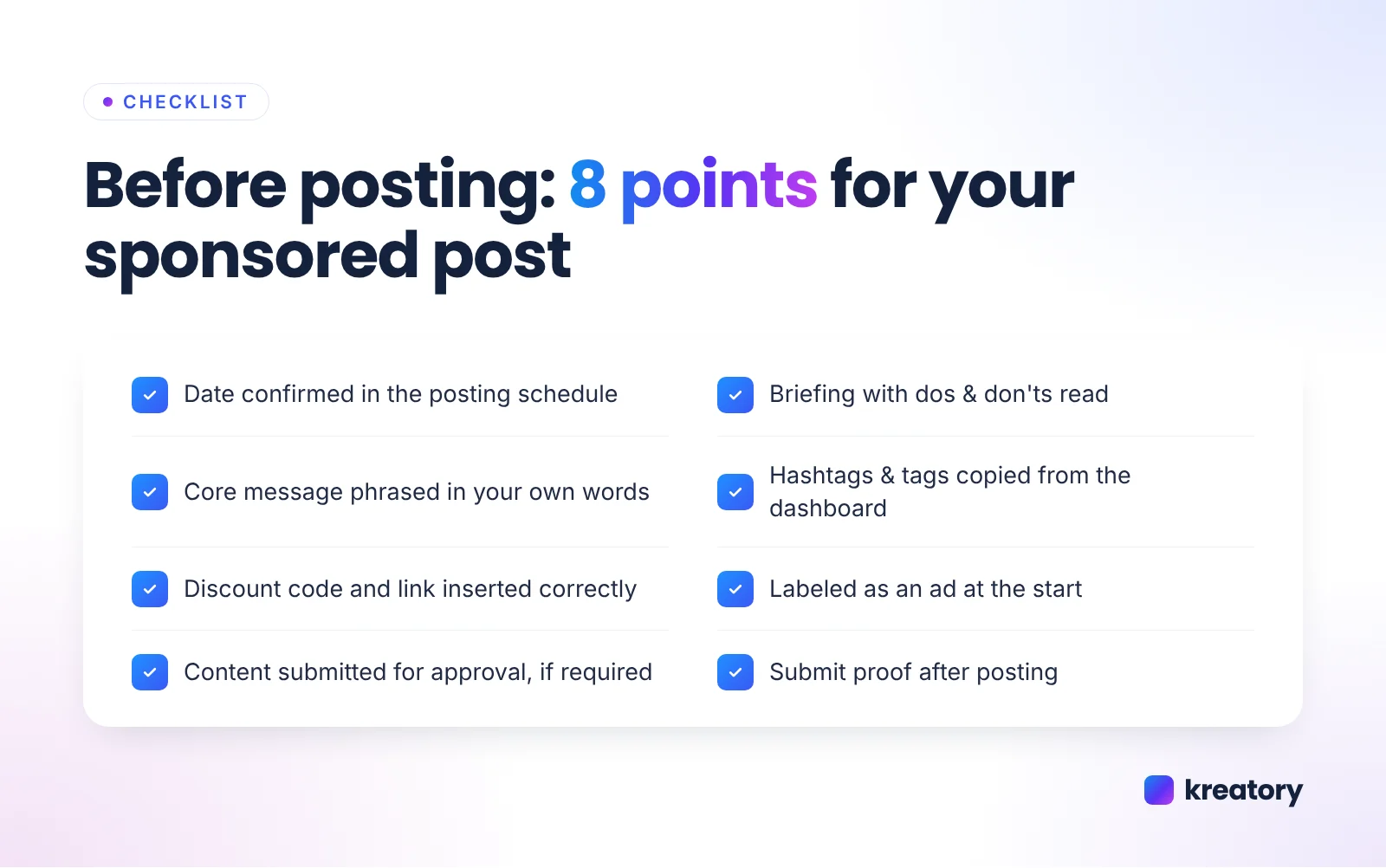
Every post for which you receive money or any other form of compensation must be recognizable as advertising. This also applies if you "only" receive a product. In Germany, this has been governed by Section 5a (4) of the Unfair Competition Act (UWG) since the 2022 UWG reform; according to the German consumer advice center (Verbraucherzentrale), products provided free of charge also count as compensation.
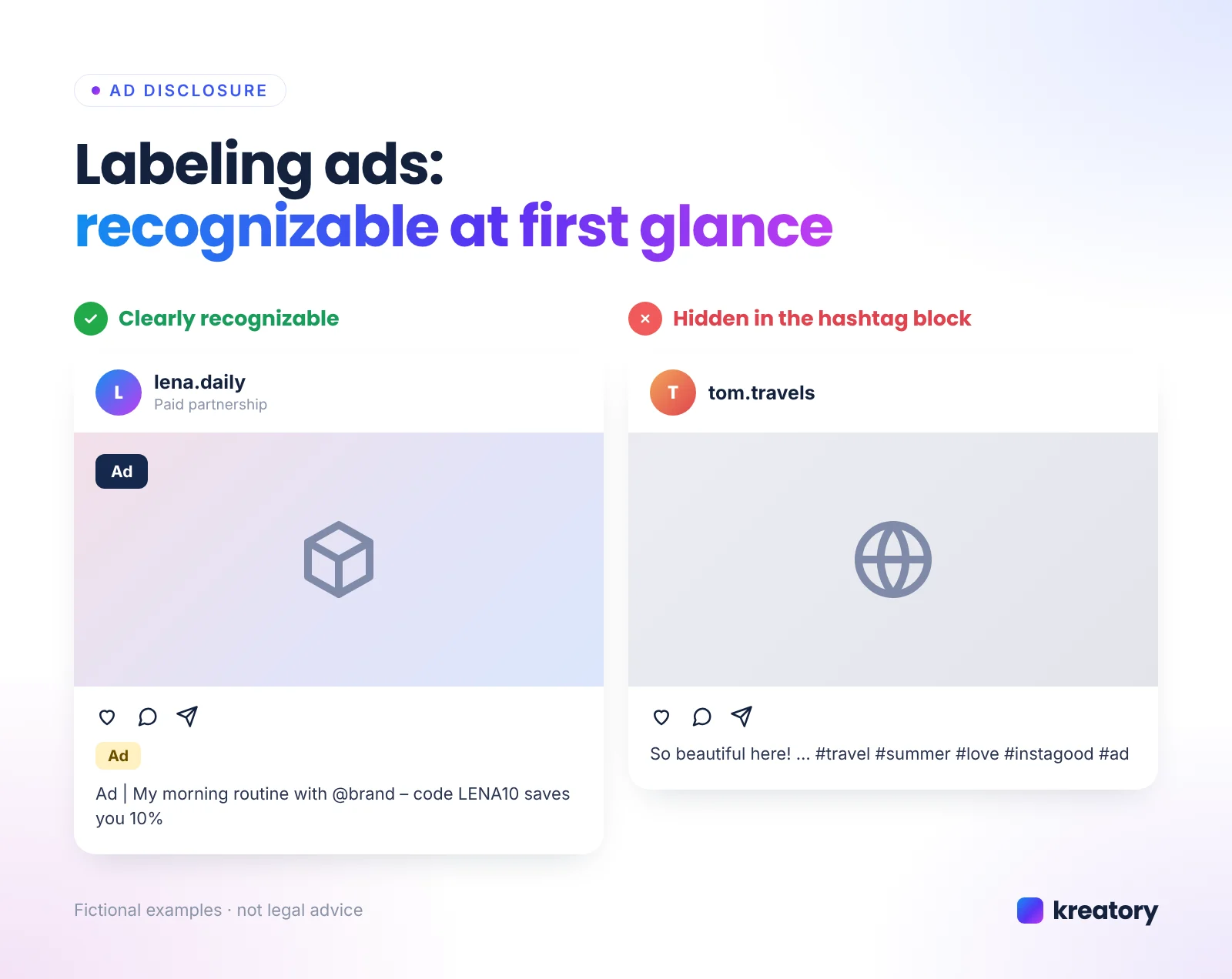
You will find all the details and examples in our article on ad disclosure in influencer marketing. This section does not replace legal advice.
After every published post, you submit proof in the dashboard. This gives the brand all the information it needs, and the campaign can be tracked. For you, this means: proof submitted = post done. You do not need to create a separate report.
Important for Stories: submit the proof promptly while the frames are still online. Stories disappear from your profile after 24 hours.
With the proof, your part of the campaign is complete. Kreatory records the results of your post automatically, such as reach and impressions, and makes them available to the brand. Kreatory acts as the billing partner between brand and creator and handles the payout to you.
Now you can get back to your community and the next campaigns. Creators who reliably meet deadlines and label their posts properly recommend themselves for further collaborations. Besides paid campaigns, there are also barter deals, where you receive a product instead of a fee, as well as UGC jobs; read more in three reasons for user-generated content.
No DigiKit yet? Connect your Instagram account so brands can see your verified data; you will find the instructions in Connect Instagram with Kreatory. Not on Kreatory yet? Register as a creator now.
In the posting schedule of your Kreatory dashboard. There you can switch between calendar and list view and see when which post is due for which brand.
Yes, explicitly. You should stay authentic and tell the message in your own style. But stick to the dos & don'ts from the briefing.
Usually yes. A product provided free of charge also counts as compensation. So clearly label the post as an ad at the beginning, in Germany with "Werbung" or "Anzeige".
Right after uploading all frames, click "Submit proof" in the dashboard, select all frames of the sponsored post, and confirm. Do this promptly while the Story is still online.
Contact Kreatory as early as possible. Brands often plan promotions and discount codes around fixed dates, so early notice is important.
Meet deadlines reliably, implement the briefing properly, label your posts correctly, and submit proof on time. An up-to-date DigiKit with verified data also helps brands with their selection. Our article Transparency and security in influencer marketing shows how brands go about it.

👉 Want deep insights into influencer marketing & UGC sourcing and curious about our success stories?📈